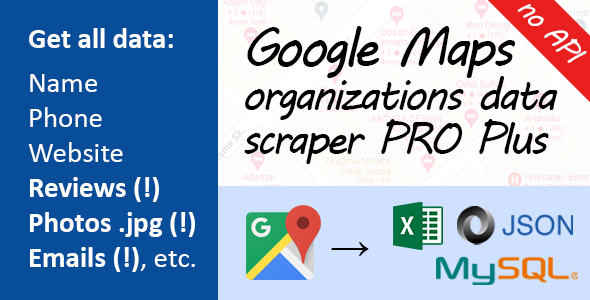
Google Maps scraper PRO plus -
extract all organization contacts
extract all organization contacts
Readme - Operating Manual
Doc version 1.0 from 12 Jan 2022
1. How does our application work?
Our application is a parser of organizations from Google Maps - https://www.google.com/maps. It automatically scrapes
all organization data, including address, description, reviews text, photos, e-mail, social networks etc. After scraping, application saves data to .xlsx / .csv / .sql / .json. You can use the application to
collect leads from Google Maps or just scrape data to any other goal.
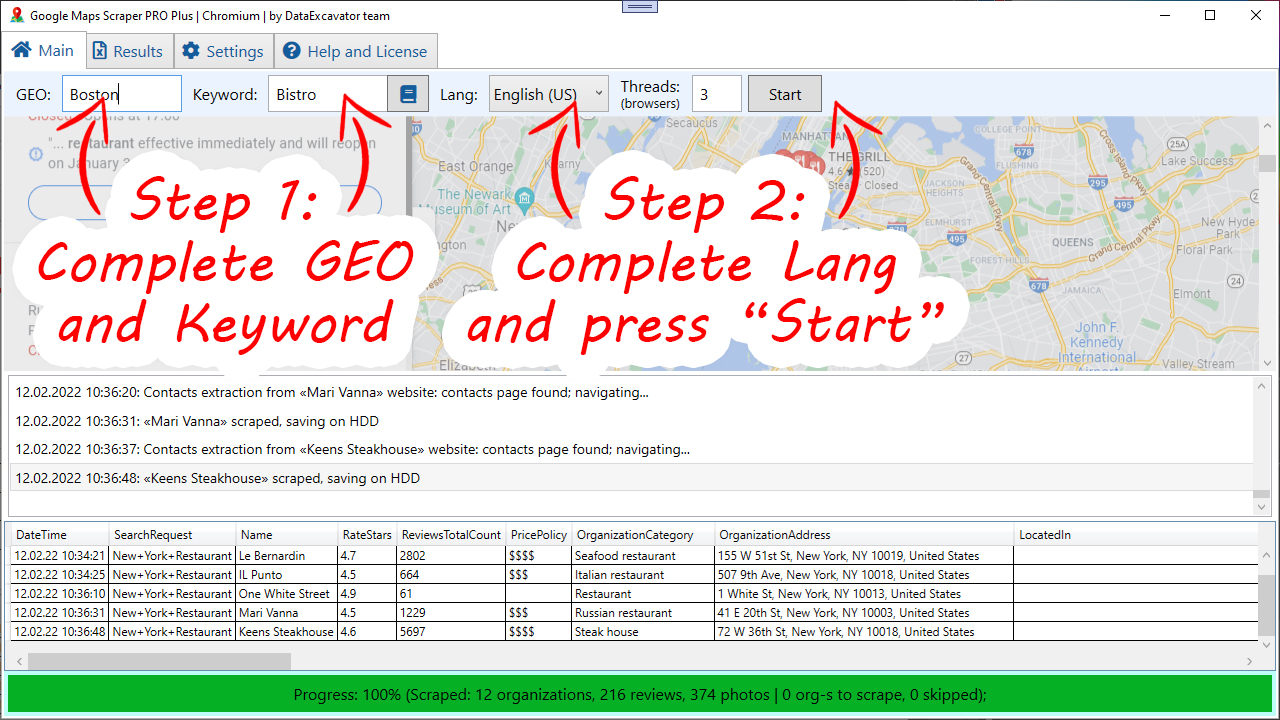
As input parameters, our application takes Geolocation and Keyword to search for. For example, you can enter GEO:
Boston, Keyword: Restaurants. This means you want to retrieve all restaurants from the map from Boston.
2. How do I launch the application?
- Go to the Exe-binary folder
- Go to the sub-folder with the product version (e.g. v1.20 or any other with many files inside, it is so one inside Exe-binary).
- Find the "Google Maps Scraper PRO Plus.exe" file in the folder and run it
- If the application starts - everything is fine. If not - please make sure you have all necessary program libraries installed (see the list below)
3. System requirements
- OS: Microsoft Windows 7+ and above
- .NET Framework 4.7. You can download it here: https://dotnet.microsoft.com/en-us/download/dotnet-framework/net472
- VC++ Redistributable 2019 or older, x86 AND x64 version. Download it here: https://learn.microsoft.com/en-US/cpp/windows/latest-supported-vc-redist?view=msvc-170
- ~300 Mb space on HDD
- ~300 Mb RAM and above
- Stable internet connection
- Firewall: opened port 80, 443
- CPU with 2 cores and above
- More than 1Gb free RAM memory
- Some free space on HDD
- IO write rights for C:\ProgramData\PIC\GMapsScraperPRO directory
- MS Visual Studio 2017 and above (Developer only)
4. Programming language and software components
- Written in C# (.NET)
- Based on CEF (Chromium Embedded Framework)
- Uses next libraries: EPPlus, HtmlAgilityPack, ExcavatorSharp, CEFSharp, RestSharp, Newtonsoft.JSON, log4net
5. Use cases
We assume that you may have downloaded our application for two reasons. The first reason is you want to do something based on it.
In this case, you need a Visual Studio IDE. The second reason is that you just want to extract organizations from Google Maps.
In this situation you need to download the actual application from our site and use it. This package includes only codes for developers.
If you are not a developer, please download the complete application from our website.
6. How to scrape data?
Our application is simple enough. So simple that you'd be surprised.
Use the "Google Maps Scraper PRO Plus.exe" file to run the application;
After that, complete the fields "GEO", "Keyword" and click on "Start". That's all! When the application finishes, you will see a modal window that says "Scraping completed".
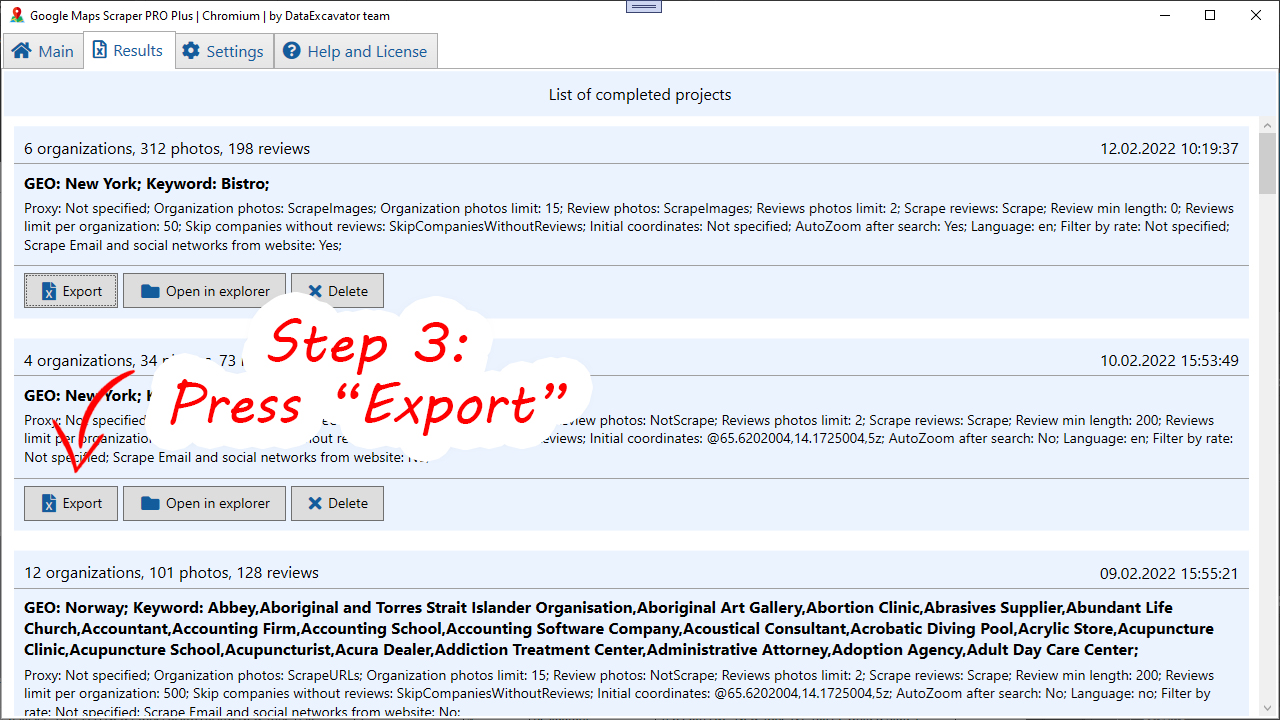
After that, go to the "Results" tab, and export the results to the format of your choice.
You can watch a tutorial video on how to use our app:
7. Application particularities
Our application is a simplified version of the data-excavator application. If you need a powerful universal data scraper for almost any website,
our main application is more suitable for you. You can find it at the following link: https://data-excavator.com
Please note that sometimes Google Maps changes the page layout. In this case, our application stops working. If you bought the application and see that it does not work in the standard way - please contact us.
We will send you the current version of the application. Please note that a stable internet connection is required for the application to work correctly.
Note - our application saves data in the folder C:\ProgramData\PIC\GMapsScraperPRO. You need to make sure that you have access to this folder.
Otherwise, the application will NOT work correctly. Also make sure that you have space on your C drive.
The application does not include full source code. If you need them, contact us and we'll discuss licensing terms. Please note that the source codes are only available for a fee.
The app is for personal use ONLY. You may not resell it or pass it off as your own work. The copyright of the application belongs to Vitaly Popov, head of the Data Excavator project.
8. Developer start guide
- Download and install MS Visual Studio 2017+ and .NET Framework 4.7
- Launch Visual Studio
- Open "Source/Google Maps Scraper PRO.sln" project
- Click on "Buid" -> "Rebuild solution" and wait until Visual Studio makes rebuild
- Check is any errors displayed into Errors list
- If you see any errors in Errors list, just reopen the solution
The entry point to the application is the MainWindow.xaml.cs file.